Village in the Shade System Requirements
Steam PC specs and console expectations before you settle in Kagatsu.
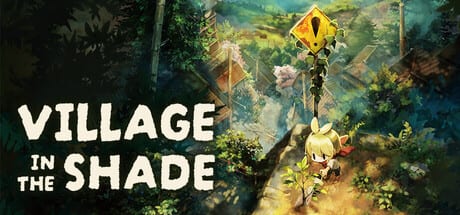
Village in the Shade presents a hand-painted countryside that still needs honest hardware checks on PC. Consoles abstract that away; Steam does not. This tool page mirrors the publicly listed Steam requirements and adds practical notes for Switch, Switch 2, and PlayStation 5 buyers watching the late-July 2026 Japan/Asia window and Fall 2026 Western release.
Steam minimum
- OS: Windows 10/11 (64-bit)
- CPU: Intel Core i5-6400
- RAM: 8 GB
- GPU: GeForce GTX 750 Ti
- DirectX: Version 11
- Storage: 9 GB available space
Steam recommended
- OS: Windows 10/11 (64-bit)
- CPU: Intel Core i5-12500
- RAM: 16 GB
- GPU: GeForce GTX 1650
- DirectX: Version 11
- Storage: 9 GB available space
If you sit between minimum and recommended, lower shadows first and keep the farm loop smooth rather than chasing max foliage during festival scenes.
How to test readiness
- Confirm free disk space beyond 9 GB for Windows updates and shader caches.
- Update GPU drivers before unlock day.
- Close Chromium megatabs while streaming hand-painted vistas.
- Wishlist now via the header CTA so Steam can remind you.
- Re-read specs on the store page the week of launch in case Nippon Ichi patches the matrix.
Console notes
Nintendo Switch and Switch 2 prioritize portability and TV modes; expect performance profiles typical of life sims rather than competitive shooters. PlayStation 5 should be the living-room comfort option. Physical Switch 2 editions may use Game-Key Card packaging — that is a fulfillment detail covered on editions and preorders, not a GPU issue.
Languages versus performance
Language packs do not replace VRAM, but knowing your SKU matters. Consoles emphasize English, French, and Spanish text; PC lists additional Japanese, Korean, and Traditional Chinese options in publisher materials. See release platforms.
Gameplay systems are light on netcode
Village in the Shade is single-player. You do not need multiplayer ports open. Latency worries are local: storage speed, thermals, and whether a laptop can sustain recommended clocks while watering crops for the thirtieth time.
Pair specs with mode choice
Horror audio stingers and night sequences in standard play can feel worse on stuttering machines because tension relies on timing. If your PC is near minimum, consider Peaceful Life Mode for calmer sessions, or upgrade RAM before chasing night exploration. Compare modes on the mode compare page.
Pre-launch farm prep still matters
Hardware readiness does not teach rules. Keep Getting Started, village rules, and the day-one checklist nearby. Beautiful meadows still drain stamina.
Accessibility adjacent tips
- Use wired controllers if wireless dropouts break watering rhythm.
- Cap framerate if heat throttling causes hitching during festivals.
- Keep an eye on storage health; 9 GB free on a dying drive still hurts.
Where to buy after you pass the checklist
Official destinations are aggregated on the Links hub. Avoid shady “optimized repack” claims that somehow need worse CPUs than Steam lists.
Return to the Tools hub after verifying specs, then finish mode and checklist tools so launch evening is about Kagatsu — not about driver installs at midnight.
Laptop-specific advice
Prefer recommended RAM when integrated graphics share memory. Plug in power while festival scenes run. Raise intake vents so thermal throttling does not hitch heartbeat audio later in standard play. If you only meet minimum specs, close overlay apps that inject into the process.
Post-purchase tuning
After install, set a frame cap that matches your display, disable unused overlays, and keep a cool room for long decorating sessions. If hitching appears only during night audio stingers in standard play, reduce ambient effects first. Revisit this page when Steam updates the official matrix after the late-July 2026 Japan and Asia window or the Western Fall 2026 launch.
Frequently Asked Questions
Quick answers about Kagatsu Village life and the wiki.
What is the Steam minimum GPU?
GeForce GTX 750 Ti is the listed minimum graphics requirement.
How much storage do I need?
Steam lists 9 GB available space; keep extra free for updates.
Do consoles share these PC specs?
No. Switch, Switch 2, and PS5 have fixed hardware. This page’s numeric specs are for Steam PC.
Is an internet connection required to farm?
It is a single-player game; online needs depend on store DRM and patches, not shared multiplayer.
Where do I go after checking specs?
Use Mode Compare and the Day-One Checklist, then read Getting Started.